CUDA and OpenGL interop
Introduction
I’d like to write a fluid simulator with CUDA and document every step of the way in order to improve my writing skills. I want to keep the simulator simple and just display the result with OpenGL. This will be done using raylib. It’s a library in C to easily prototype games, which will make it easy to display and manipulate the fluid. For CUDA this will be done with the help of this c++ wrapper to simplify the CUDA code.
CUDA and OpenGL interop
CUDA has facilities for interopability with OpenGL which are pretty straight forward to use. We can simply map an opengl texture or buffer to an array or pointer and use it directly.
Let’s have a look on how to do this with a texture (it’s a very similar process for buffers). We first need to mark the OpenGL texture so it can be used it CUDA,
cudaGraphicsResource resource;

// id is a GLuint of an OpenGL texture
cudaGraphicsGLRegisterImage(&resource,
                            id,
                            GL_TEXTURE_2D,
                            cudaGraphicsRegisterFlagsNone);
Following this, we can then map the resoure into a CUDA array,
cudaArray_t array;

cudaGraphicsMapResources(1, &resource, 0);
cudaGraphicsSubResourceGetMappedArray(&array, resource, 0, 0);
Unfortunately we cannot use arrays directly in a CUDA kernel. We have two options here: either copy to/from the array with,
cudaMemcpy2DToArray(array, 0, 0, data,
                    format * width,
                    format * width, height,
                    cudaMemcpyDeviceToDevice);
Or we can use a surface object which uses the array. We first need to create it before we can use it,
cudaSurfaceObject_t surface_object;
cudaResourceDesc texRes{};
texRes.resType = cudaResourceTypeArray;
texRes.res.array.array = array;

cudaCreateSurfaceObject(&surface_object, &texRes);
This can now be used in a kernel. We can’t forget of course to destroy the surface object and unmap the array,
cudaDestroySurfaceObject(surface_object);
cudaGraphicsUnmapResources(1, &resource, 0);
Designing a nice encapsulation
The mapping and creation of the surface object which then needs to be unmapped and destroyed fits very nicely with C++’s RAII principle. In other words, the mapping/instantiation can be done in a constructor and unmapping/destruction in a destructor, so we won’t forget to unmap/destroy:
class OpenglTextureView
{
public:
  ~OpenglTextureView()
  {
    cudaDestroySurfaceObject(_surface_object);
    cudaGraphicsUnmapResources(1, &_resource, 0);
  }

  cudaSurfaceObject_t view() const
  {
    return _surface_object;
  }

private:
  OpenglTextureView(cudaGraphicsResource* resource): _resource(resource)
  {
    auto status = cudaGraphicsMapResources(1, &_resource, 0);
    throw_if_error_lazy(status, "failed to map resources");

    cudaArray_t array;
    status = cudaGraphicsSubResourceGetMappedArray(&array, _resource, 0, 0);
    throw_if_error_lazy(status, "failed to map array");

    cudaResourceDesc texRes{};
    texRes.resType = cudaResourceTypeArray;
    texRes.res.array.array = array;

    status = cudaCreateSurfaceObject(&_surface_object, &texRes);
    throw_if_error_lazy(status, "failed to create surface object");
  }

  cudaGraphicsResource* _resource;
  cudaSurfaceObject_t _surface_object;
};
Note we’ve made the constructor private, this way we can also encapsulate the resource by wrapping it in another class that will also call the register function:
class OpenglTexture
{
public:
  OpenglTexture(unsigned int id)
  {
    auto status = cudaGraphicsGLRegisterImage(&_resource, id, GL_TEXTURE_2D, cudaGraphicsRegisterFlagsNone);
    throw_if_error_lazy(status, "failed allocating 2D CUDA array");
  }

  OpenglTextureView map() const
  {
    return OpenglTextureView(_resource);
  }

private:
  cudaGraphicsResource* _resource;
};
Game of Life
To make a nice little demo, I thought that we could write a simple game of life simulation. This is pretty straightforward, we need three inputs: the previous grid, the next grid and the texture to display the new state. We set the dead/alive state on the next grid given the previous grid, and set a colour on the texture so we can display it.
__global__ void game_of_life_step(std::uint8_t* prev,
                                  std::uint8_t* next,
                                  cudaSurfaceObject_t surface,
                                  int width,
                                  int height)
{
  const uchar4 lightgray  = make_uchar4(200, 200, 200, 255);
  const uchar4 darkgray = make_uchar4(80, 80, 80, 255);

  int x = blockIdx.x * blockDim.x + threadIdx.x;
  int y = blockIdx.y * blockDim.y + threadIdx.y;

  if (x < width && y < height)
  {
    int left = (x - 1 + width) % width;
    int right = (x + 1) % width;
    int top = (y - 1 + height) % height;
    int bottom = (y + 1) % height;

    auto i = [=](int x, int y) { return x + y * width; };

    int total = prev[i(left, y)] +
                prev[i(right, y)] +
                prev[i(x, top)] +
                prev[i(x, bottom)] +
                prev[i(left, top)] +
                prev[i(right, top)] +
                prev[i(left, bottom)] +
                prev[i(right, bottom)];

    next[i(x, y)] = total == 3 || (total == 2 && prev[i(x, y)]) ? 1 : 0;

    auto colour = next[i(x, y)] ? lightgray : darkgray;
    surf2Dwrite(colour, surface, x * 4, y);
  }
}
When we then call the kernel, at each step, we swap the previous and next grid pointers.
{
  auto view = glTexture.map();
  cuda::launch(game_of_life_step, launch_config_2d, curr, next, view.view(), width, height);
  std::swap(curr, next);
}
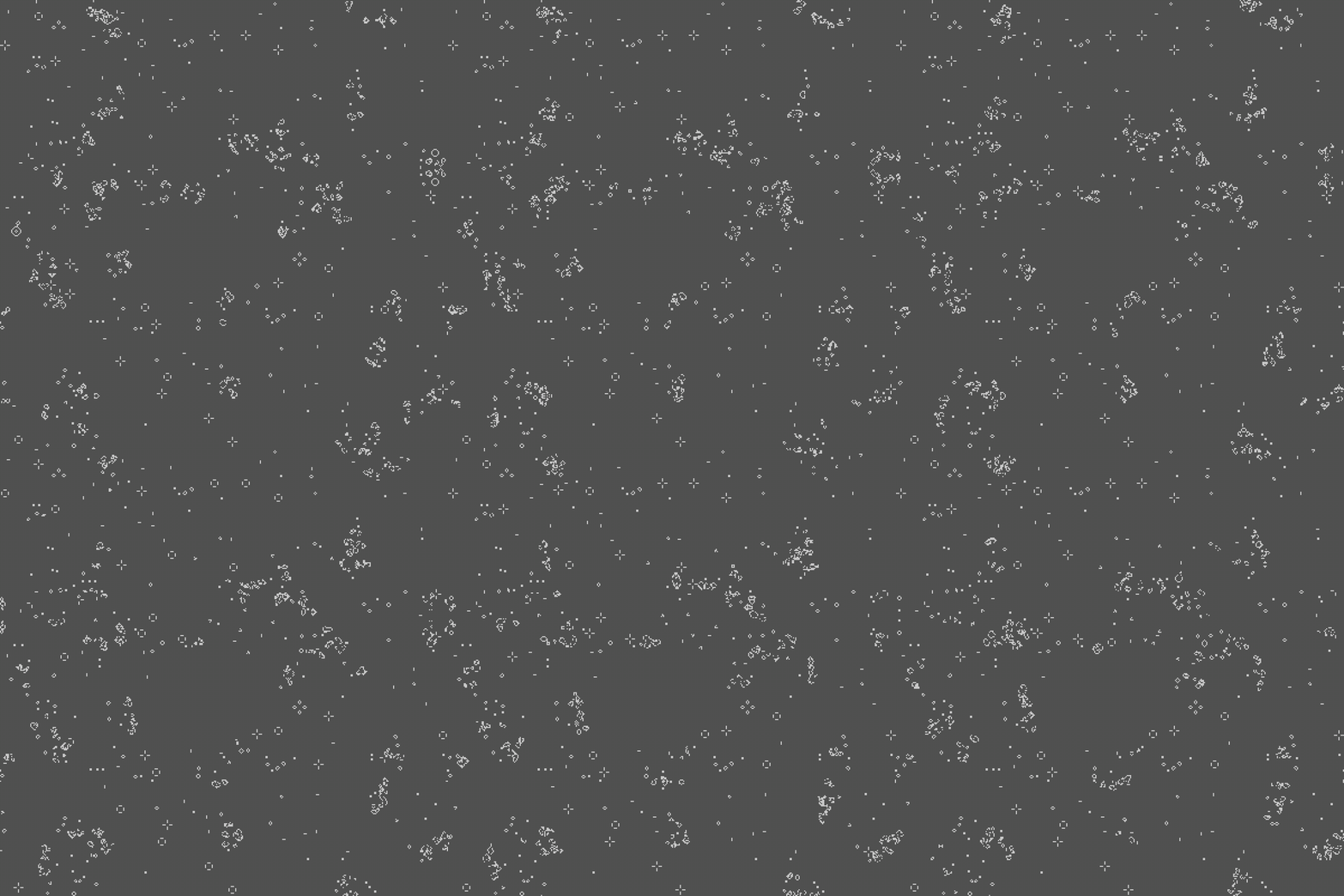
The result looks like this:
Github
I’ve left the details of setting up the grids for CUDA, creating the window, displaying the texture, etc out of this post for clarity. Details can be found in github.